
The Error LED is Illuminated or Flashing
September 10, 2024
THE ERROR LED IS ILLUMINATED OR FLASHING.
GX.
The flashing LEDs on your charger indicate an Error Condition.
Read below for a quick guide on the Error Conditions on the GX Series Industrial Chargers.
Understanding Advanced Diagnostics
Advanced Diagnostics is used when displaying Error Conditions. It will display a series of blink sequences that help you identify the cause of the error and potential solutions. All Error Conditions are displayed with the Error LED and Standby LED flashing back and forth. The number of flashes between each pulse denotes a potential Error Condition (except reverse polarity and low-voltage battery).
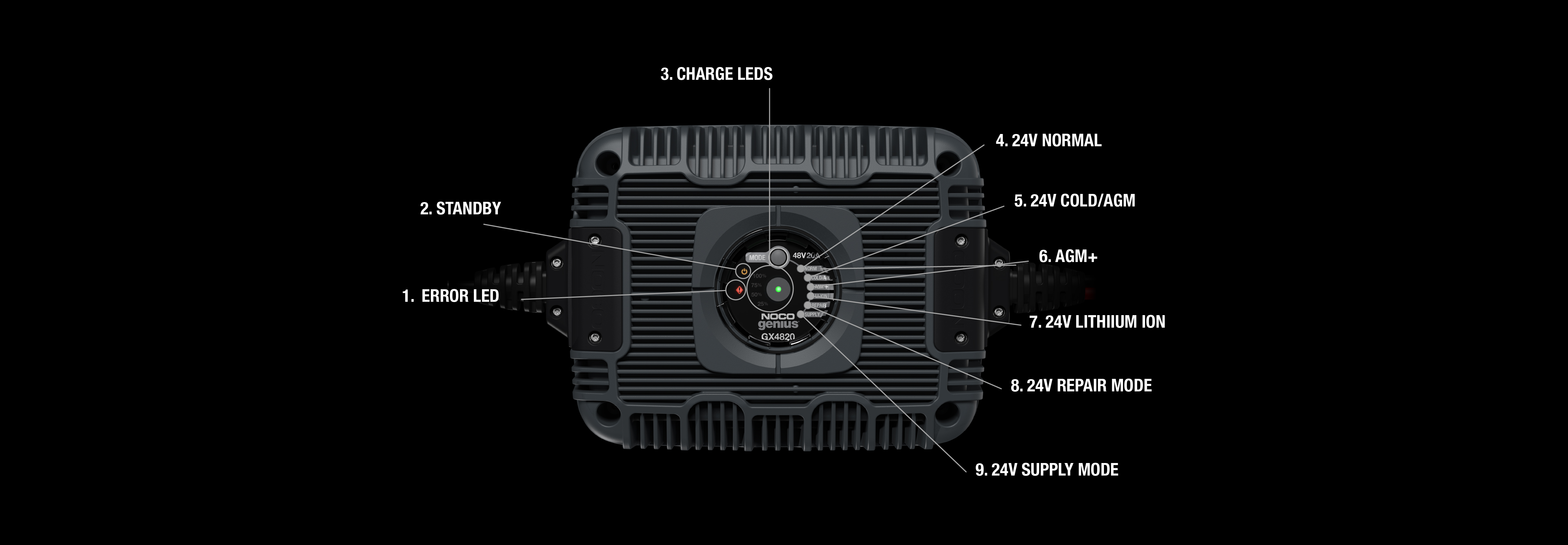
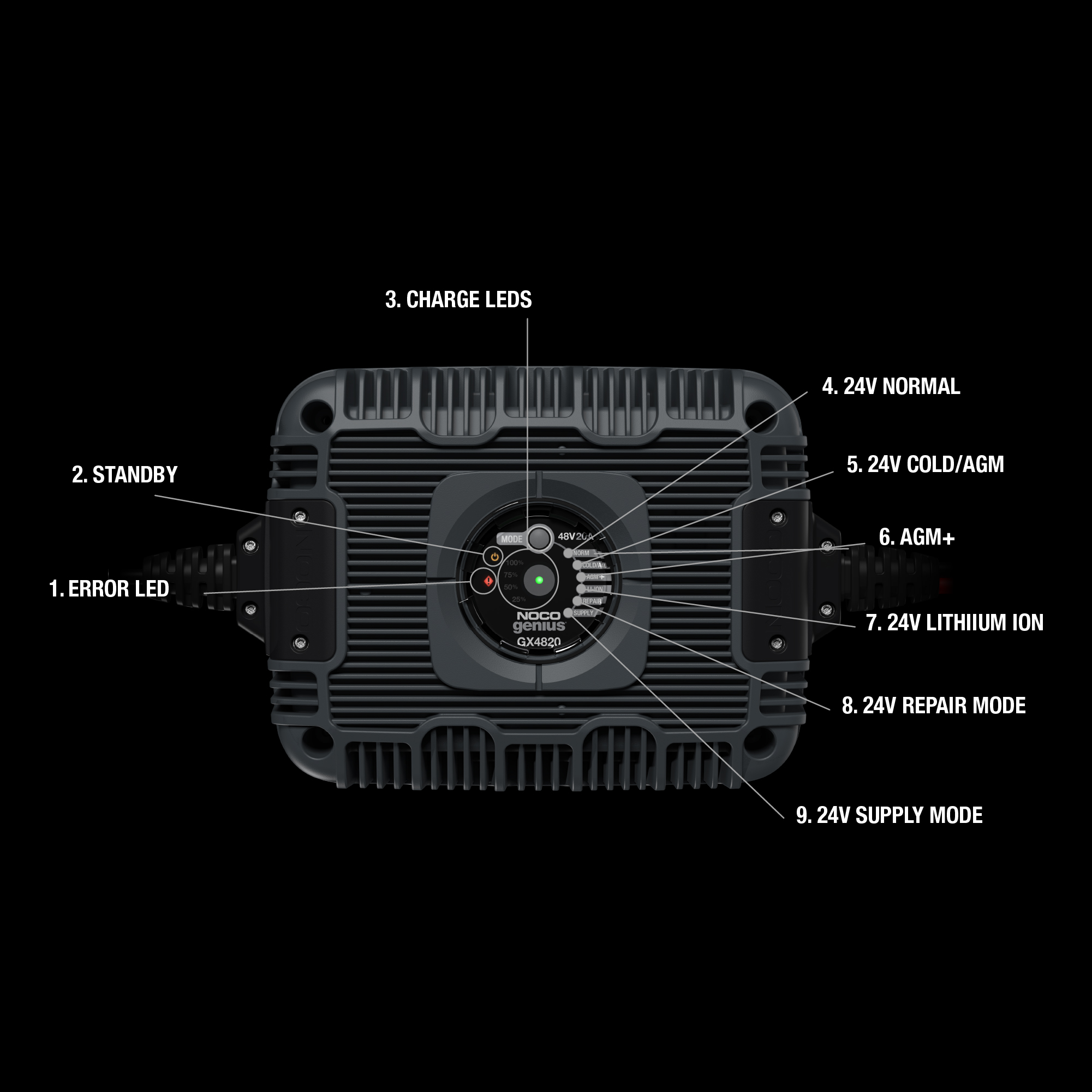
1. Error LED
All Error Conditions are displayed with the Error LED and Standby LED flashing back and forth. The number of flashes between each pulse denotes a potential Error Condition (except reverse polarity and low-voltage battery).
2. Standby
In Standby mode, the charger is not charging or providing any power to the industrial battery. Energy Save is activated during this mode, drawing microscopic power from the electrical outlet. When selected, an orange LED light will illuminate.
3. Charge LEDs
The charger has four (4) Charge LEDs per bank - 25%, 50%, 75% and 100%. These Charge LEDs indicate the connected battery(s) state-of-charge (SOC).
4. 24v normal
For smart charging Wet Cell, Gel Cell, Enhanced Flooded, Maintenance-Free and Calcium batteries. When selected, a white LED will illuminate.
5. 24v cold/agm
For charging industrial batteries in cold temperatures below 50ºF (10ºC) or AGM batteries. When selected, a blue LED will illuminate.
6. agm
For charging industrial batteries in cold temperatures below 50ºF (10ºC) or AGM batteries. When selected, a blue LED will illuminate.
7. 24v lithium ion
For charging lithium-ion batteries, including lithium iron phosphate. When selected, a blue LED will illuminate.
8. 24v repair mode
An advanced industrial battery recovery mode for repairing and storing, old, idle, damaged, stratified or sulfated batteries. When selected, a red LED will illuminate and flash.
9. 24V Supply Mode
Converts to a DC power supply. When selected, a red LED will illuminate.
Error
Reason/Solution

Single Flash
Battery will not hold a charge. Have battery checked by a professional.
Double Flash
Possible battery short. Have battery checked by a professional.
Triple Flash
Battery voltage is too high for selected charge mode. Check battery and charge mode.
Quadruple Flash
Abnormal AC grid power: VAC <85V or >250V, or Frequency <45Hz or >65Hz.
Error LED Solid Red
Reverse polarity. Reverse the battery connections.
Standby Solid Orange
Battery voltage is too low for charger to detect. Verify connection and mode selection, if still not working use Supply Mode to raise battery voltage.

Share on Facebook

Share on X

Share on Pinterest
Comment(s)
Recent Posts